
Claude is great at writing the brief, but it can’t draw. It has no image generator of its own, and Google’s Imagen models aren’t built in. The fix takes about a minute: add AiWings as a connector, and Claude can make Imagen 4, Imagen 4 Ultra and Imagen 4 Fast images in the same chat where you planned them.
What you need
- A Claude account on a plan that lets you add custom connectors.
- An AiWings account (sign in with Google). Images use credits from your AiWings balance.
- About a minute.
Step 1: Add AiWings to Claude
You only do this once. After that, Imagen 4 is available in every Claude chat with the connector turned on.
- 1In Claude, open Settings → Connectors and click Add custom connector.
- 2Name it AiWings and paste the URL below.
- 3Click Connect, then sign in to AiWings and allow access.
- 4In a new chat, make sure AiWings is turned on in the tools menu.
https://aiwings.io/api/mcpStep 2: Ask Claude for an Imagen 4 image
Name the model in your request. Claude writes a detailed prompt, calls the AiWings image tool and shows the result in the chat. Imagen 4 rewards detailed prompts, which is where Claude helps most: describe the goal and let it write the full scene.
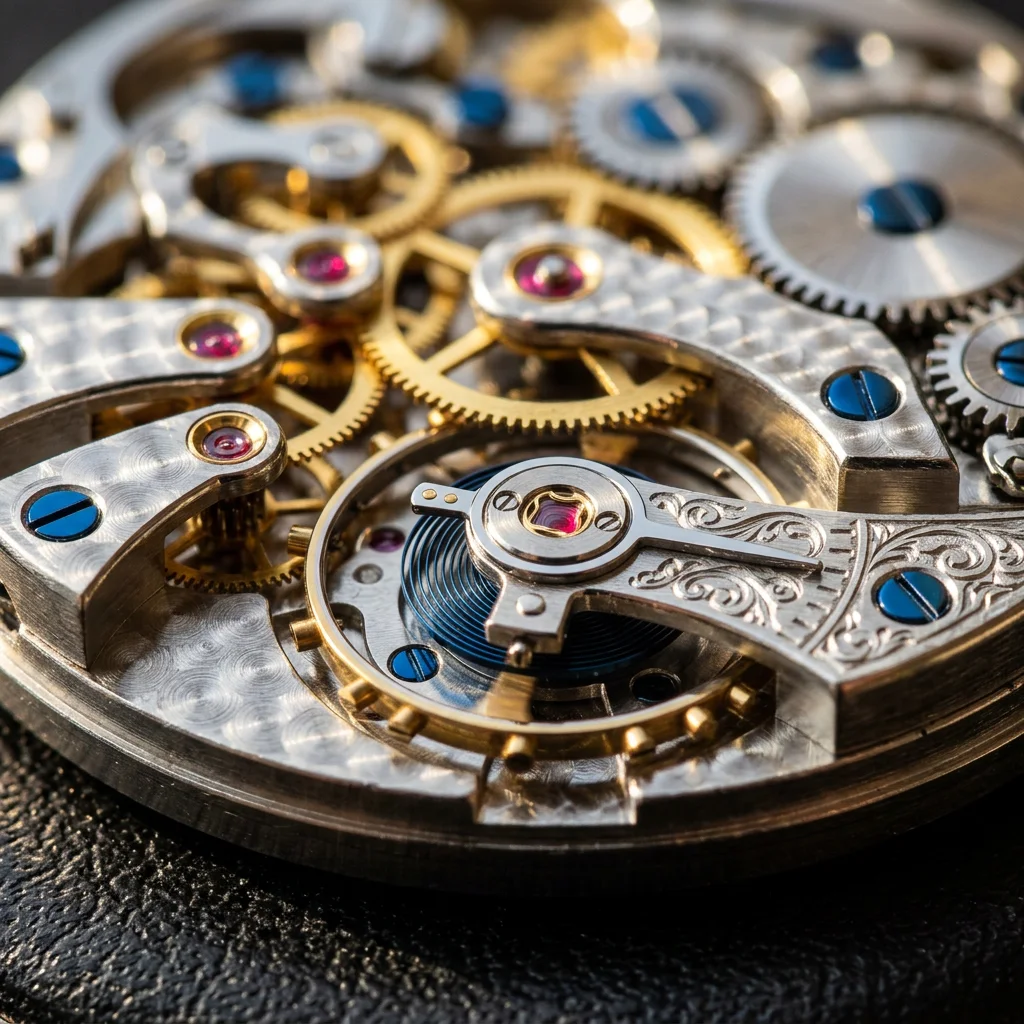
Use Imagen 4 to make a square photograph of everyday citrus fruit arranged on a sunlit windowsill, with dramatic morning light and shallow depth of field.Add a ratio (“16:9”) or a size (“at 2K”) to any request. Real, unedited results from Imagen 4 and Imagen 4 Ultra:



Step 3: Plan a whole set with Claude
Because Imagen 4 works from text, the best way to use it in Claude is to let Claude art-direct. Ask for a set of images that share a style, and Claude plans the shots and keeps the wording consistent across them.
Plan a five-piece product line of handmade ceramic mugs for a shop page. Then use Imagen 4 Fast to make a 16:9 shelf photo of all five in different glazes, and a landing page mockup with the headline “Ship it today”.Imagen 4 Fast is the cheapest way to explore. Here are a product-line shot and a landing page mockup, both made with it:


Which Imagen 4 model to pick
All three are Google models and work the same way in Claude. Pick by the job:
| Model | Sizes | Reference images | Cost per image | Best for |
|---|---|---|---|---|
| Imagen 4 Fast | 1K | None (text only) | 3 credits ($0.03) | Fast drafts and ideas |
| Imagen 4 | 1K, 2K | None (text only) | 5 credits ($0.05) | Everyday work, 2K |
| Imagen 4 Ultra | 1K, 2K | None (text only) | 8 credits ($0.08) | Photoreal products, interiors, crisp text |
Prices are at the top-up rate of $0.01 per credit, and plans include more credits per dollar. Imagen 4 gives you 2K for the same price as 1K. To stop naming the model every time, tell Claude “make Imagen 4 at 2K my default”.
Tips for Claude and Imagen 4
- Let Claude write the prompt: describe the goal and ask for three directions before generating.
- Put exact words in quotes and say where they go: a label reading “LUMEN” across the front of the bottle.
- Describe light and lens for photoreal results: soft window light from the left, 35mm, shallow depth of field.
- Imagen 4 doesn’t edit photos, so ask Claude to describe the whole scene each time, or switch to GPT Image or Nano Banana for edits.
- Use a Claude Project for a brand: put your style notes in the project and every Imagen image in it follows them.
If something doesn’t work
- Claude says it can’t make images: check that AiWings is turned on in the chat’s tools menu, then ask again.
- The connector shows no tools: remove it in Settings → Connectors and add it again with the same URL.
- Sign-in loops: allow pop-ups for claude.ai and finish the AiWings sign-in in the same browser.
- Out of credits: top up from your AiWings dashboard, then ask Claude to try again.
Bottom line
Claude can’t draw on its own, but with AiWings connected, Imagen 4 is one sentence away. The same connector also gives Claude GPT Image, Nano Banana, Seedream and Seedance video, all from one balance.
FAQ
Can Claude use Imagen 4 natively?
No. Claude doesn’t generate images at all on its own, and it doesn’t include Google’s Imagen models. You add them with a connector such as AiWings, then ask Claude for Imagen 4 by name.
Which Imagen 4 model should I use in Claude?
Imagen 4 Fast (3 credits ($0.03)) for quick drafts, Imagen 4 (5 credits ($0.05)) as the balanced default with 1K and 2K output, and Imagen 4 Ultra (8 credits ($0.08)) for the highest fidelity, such as product shots, interiors and packaging with crisp text.
Can Claude edit my photos with Imagen 4?
No. Imagen 4 makes images from a text prompt only and doesn’t take reference images. For edits, ask Claude to use a model that does, such as GPT Image or Nano Banana, through the same connector.
Does it work in the Claude desktop and mobile apps?
Yes. Connectors you add on claude.ai are available in the Claude desktop and mobile apps signed in to the same account.
Which Claude plans can add the connector?
Any Claude plan that lets you add a custom connector. On Team and Enterprise plans, an owner may need to add AiWings for the organization first.