
If you searched “Seedream in ChatGPT”, here’s the short answer: ChatGPT doesn’t include ByteDance’s Seedream models. Its built-in images come from OpenAI’s own model. You can still use Seedream 5 Lite inside ChatGPT by adding AiWings as a plugin. It takes about two minutes, and after that you just ask for Seedream by name.
What you need
- A ChatGPT account on a plan that lets you add custom MCP plugins.
- An AiWings account (sign in with Google). Usage comes from your AiWings credits.
- About two minutes.
Step 1: Add AiWings to ChatGPT
You only do this once. After that, Seedream is available in every new ChatGPT chat.
- 1In ChatGPT, open Plugins in the sidebar and click Add.
- 2Choose Add custom MCP server and name it AiWings.
- 3Paste the server URL below and keep Authentication set to OAuth.
- 4Tick the confirmation box and click Create as a plugin.
- 5Sign in to AiWings when the window opens and allow access.
https://aiwings.io/api/mcpStep 2: Ask ChatGPT for a Seedream image
Start a new chat and name the model in your request. ChatGPT calls the AiWings image tool, runs Seedream, and shows the result right in the conversation.
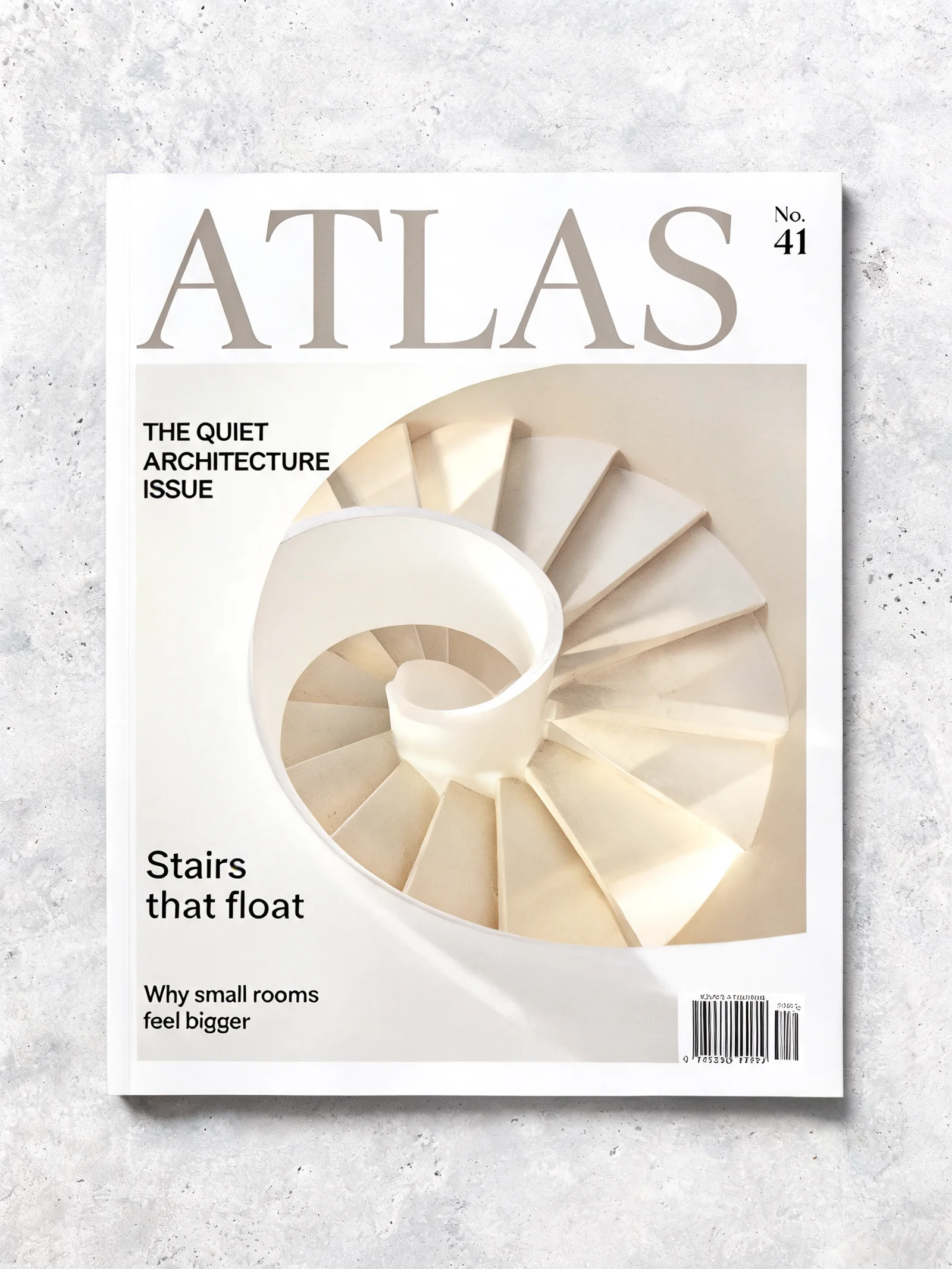
Use Seedream to make a 16:9 photoreal interior of a bright sunroom with a rattan armchair, hanging plants and a stone coffee table, at 3K.Seedream is known for photographic interiors, editorial layouts and very wide shapes. Here are real, unedited results at 2K and 3K:



Step 3: Put your product in a new scene
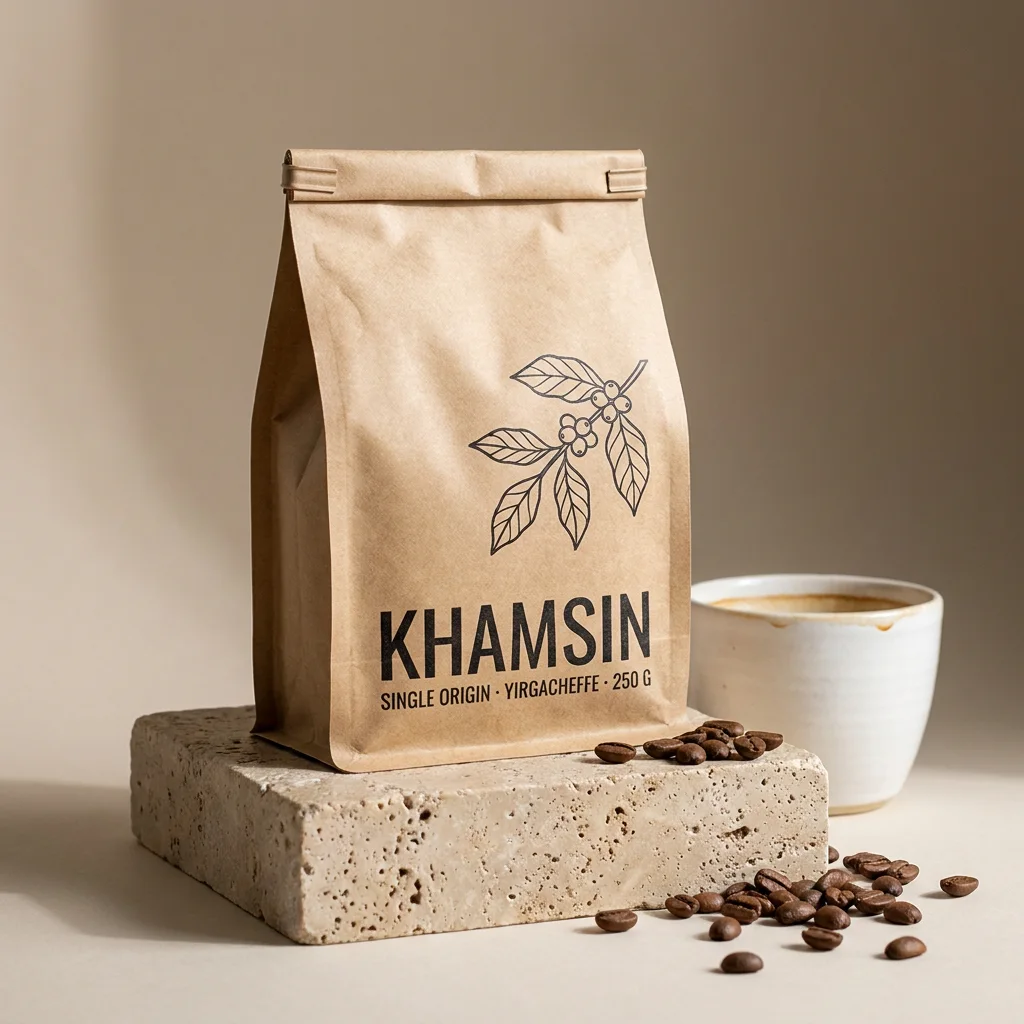
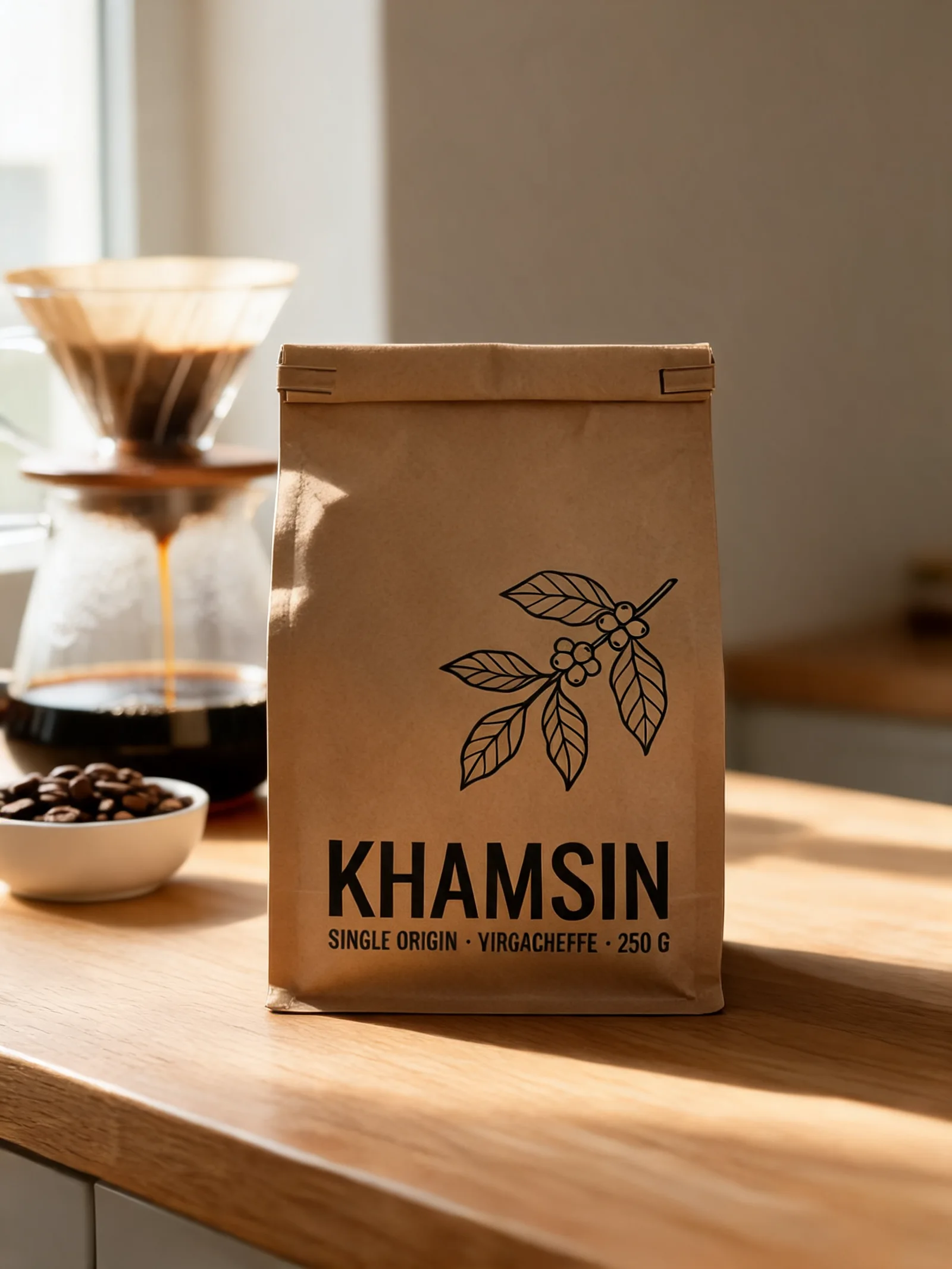
Seedream takes up to 14 reference images, so it’s a strong choice for product photos. Ask ChatGPT to open the AiWings upload widget, drop in your product, and describe the new scene.
Open the AiWings upload widget. Then use Seedream to put my coffee bag on a sunlit oak kitchen counter next to a pour-over setup. Keep the label exactly the same.The original bag on the left, and the Seedream version on the right: same product, new kitchen.
Seedream 5 Lite at a glance
Seedream is ByteDance’s image model. AiWings offers Seedream 5 Lite, which works the same way everywhere you add it:
| Model | Sizes | Reference images | Cost per image | Best for |
|---|---|---|---|---|
| Seedream 5 Lite | 2K, 3K | Up to 14 | 5 credits ($0.05) | Interiors, editorial layouts, wide scenes |
Prices are at the top-up rate of $0.01 per credit, and plans include more credits per dollar. You get 3K for the same price as 2K (5 credits ($0.05)). To stop naming the model every time, say “make Seedream 5 Lite at 3K my default”.
Tips for ChatGPT and Seedream
- Ask for 3K when detail matters: it costs the same as 2K.
- Use 21:9 for banners and cinematic shots, a shape most models don’t offer.
- Put any words that should appear in quotes and say where they go, such as a cover headline.
- Say what to keep when you edit: keep the label exactly the same, change only the background.
- Iterate in the same chat: “same scene, warmer light” edits the last result instead of starting over.
If something doesn’t work
- ChatGPT made the image itself or said it can't: start the request with “Use Seedream” or “Use the AiWings plugin”.
- The plugin isn’t listed: check that it’s turned on for the chat, or remove it and add it again with the same URL.
- Sign-in loops: allow pop-ups for chatgpt.com and finish the AiWings sign-in in the same browser.
- Out of credits: top up from your AiWings dashboard, then ask ChatGPT to try again.
Bottom line
Seedream isn’t a setting you can switch on in ChatGPT, but with AiWings added as a plugin it’s one sentence away. The same plugin also gives ChatGPT Nano Banana, GPT Image, Imagen and Seedance video, all from one balance.
FAQ
Can ChatGPT use Seedream natively?
No. ChatGPT doesn’t include ByteDance’s Seedream models. You add them with AiWings, then ask for Seedream by name.
What sizes does Seedream 5 Lite make?
2K and 3K, in 1:1, 4:3, 3:4, 16:9, 9:16, 3:2, 2:3, 21:9. Both sizes cost 5 credits ($0.05), so there’s no reason to pick the smaller one.
Can Seedream edit my own images?
Yes. It takes up to 14 reference images, so you can keep a product exactly as it is and change the scene around it.
Which ChatGPT plans can add the plugin?
Any plan where ChatGPT lets you add a custom MCP server as a plugin. Availability depends on your plan and workspace settings, so check the Plugins page in ChatGPT.