
Claude can’t generate an illustrated GIF by itself, but with AiWings connected it can: describe the loop, or share an image to animate, and the GIF plays right in the chat.
What you need
- A Claude account on a plan that lets you add custom connectors.
- An AiWings account (sign in with Google). Usage comes from your AiWings credits.
- About a minute.
Step 1: Add AiWings to Claude
You only do this once. After that, GIF generation is available in every Claude chat with the connector turned on.
- 1In Claude, open Settings → Connectors and click Add custom connector.
- 2Name it AiWings and paste the URL below.
- 3Click Connect, then sign in to AiWings and allow access.
- 4In a new chat, make sure AiWings is turned on in the tools menu.
https://aiwings.io/api/mcpStep 2: Ask Claude for a GIF
Start a new chat with AiWings turned on and ask for a GIF. Say “use AiWings” so Claude calls the tool. Claude is good at writing the motion for you, so you can start with a rough idea and let it sharpen the prompt.
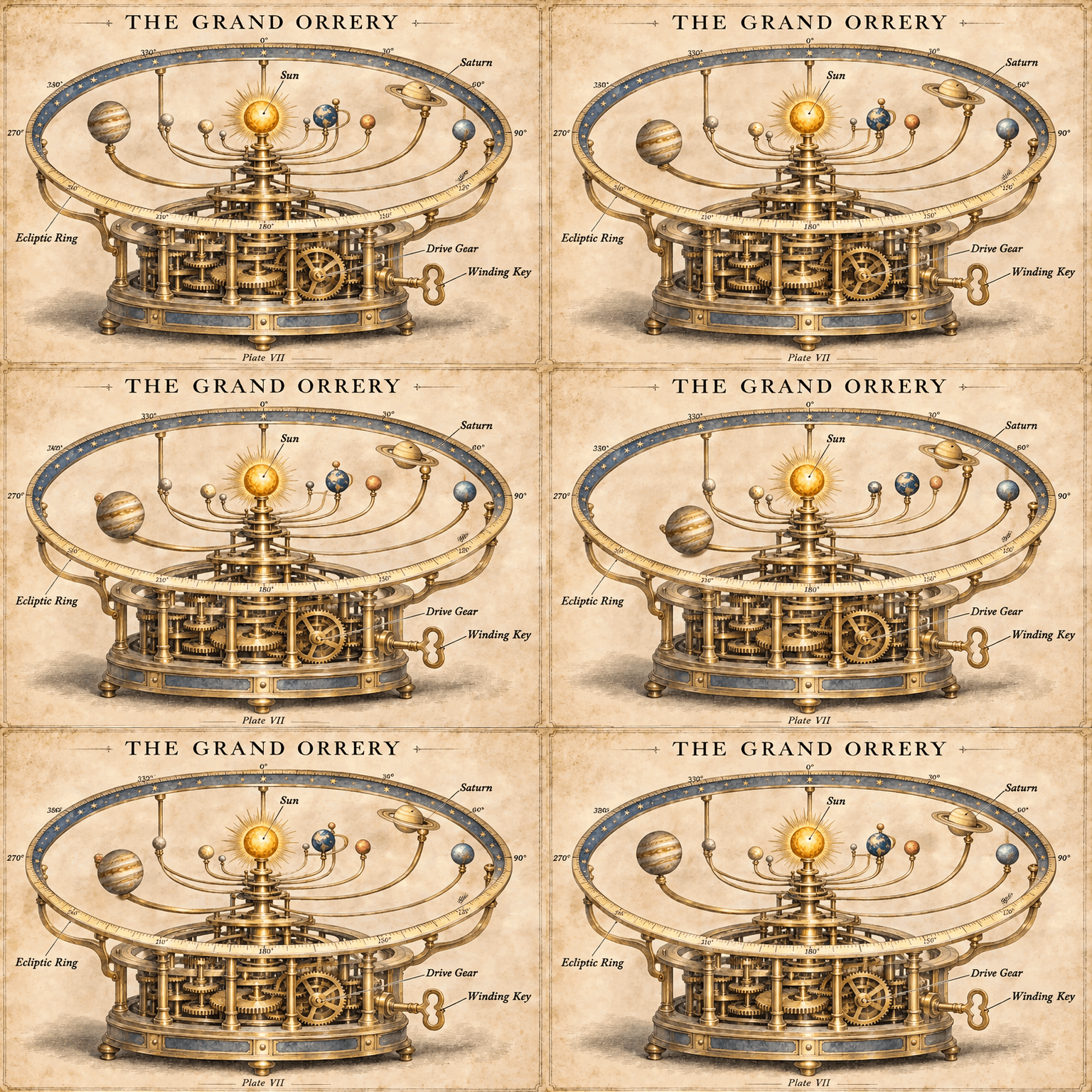
Use AiWings to make a GIF: a flat illustration of a coffee cup on a warm cream background, with steam rising in soft curls. The steam drifts upward and returns to its starting position. Smooth loop.Here’s the kind of result you get:

GIFs at a glance
GIFs work the same way everywhere you add AiWings:
| What | Details |
|---|---|
| Price | A flat 16 credits ($0.16) per GIF |
| Models | GPT Image 2.6 Flare (the default) or Sunburst |
| Length | 9 frames that loop in 1.8 seconds |
| Size | 512 pixels on the short side |
| Time | About 15 to 30 seconds in our tests |
| Animate an image | Yes, one image per GIF |
The price is at the top-up rate of $0.01 per credit, and plans include more credits per dollar. Your default image model doesn’t change.
Tips for better GIFs in Claude
- Say what moves, then end with “returns to its starting position. Smooth loop.” That helps the last frame line up with the first.
- Pick one simple motion. Steam rising, an icon pulsing or a planet moving works better than a whole scene changing.
- Keep the art flat if the file needs to stay small. In our tests a flat icon was 333 KB and a detailed image was 2.3 MB.
- Check small text, since it can shift between frames.
If something doesn’t work
- Claude says it can’t make images: check that AiWings is turned on in the chat’s tools menu, then ask again.
- The connector shows no tools: remove it in Settings → Connectors and add it again with the same URL.
- Sign-in loops: allow pop-ups for claude.ai and finish the AiWings sign-in in the same browser.
- Out of credits: top up from your AiWings dashboard, then ask Claude to try again.
Bottom line
A rough idea is all Claude needs to write a good loop. With AiWings connected, it can also make the file, one sentence away. The same connector also gives Claude images, SVGs and videos, all from one balance.
FAQ
Can Claude make GIFs on its own?
Claude can write code that builds a GIF from simple shapes, but it doesn’t generate an illustrated animation by itself. With AiWings added, you describe the loop and get the file back.
Can I animate my own image?
Yes, one image per GIF. You can also animate an earlier AiWings image without uploading it again.
Can I change the length or speed?
Not yet. Every GIF is 9 frames at 5 frames per second. For longer clips or sound, use a video model like Seedance.
Do the free credits cover a GIF?
No. New accounts start with enough for a few regular images, and a GIF costs 16 credits, so you’d need a plan or a top-up first.
Which Claude plans can add the connector?
Any Claude plan that lets you add a custom connector. On Team and Enterprise plans, an owner may need to add AiWings for the organization first.